Bad data is expensive in ways that don’t show up on the invoice — wasted hours, damaged sender reputation, and missed deals. Knowing what causes it and how to spot it quickly is one of the most valuable skills a data buyer can have. Here’s a practical guide.
What “Bad Data” Actually Means
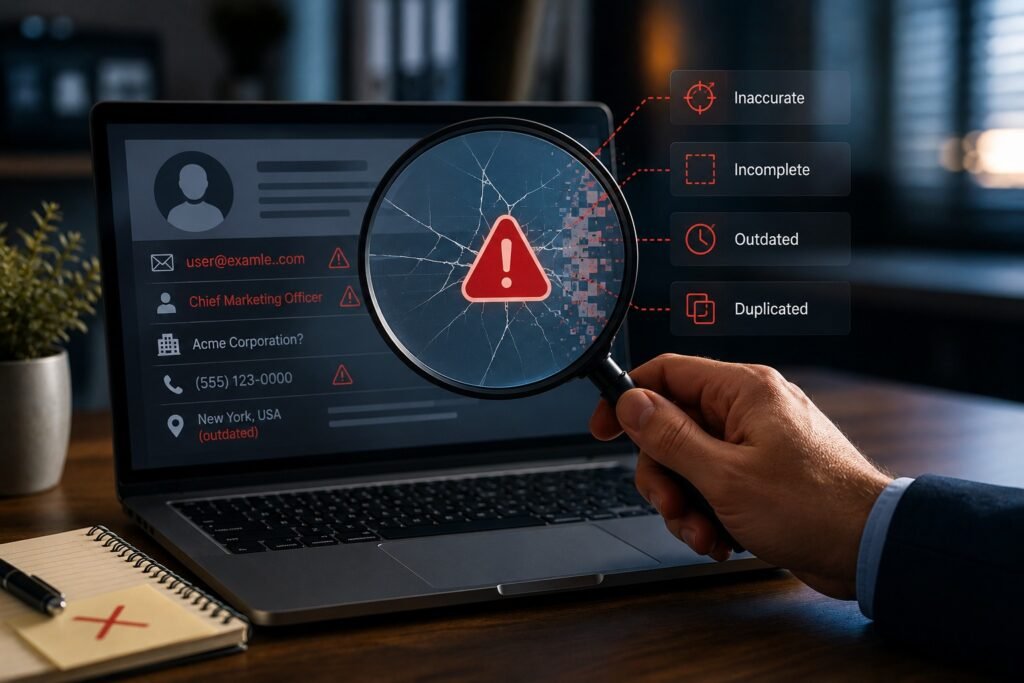
Bad data is any data that’s inaccurate, incomplete, outdated, or duplicated to the point that it misleads your outreach. It’s not always obvious: a record can look complete and still be wrong. The defining feature is that acting on it wastes effort or causes mistakes — a dead email, a wrong title, a duplicate that double-counts a prospect.
Common Causes of Bad B2B Data
Bad data usually traces to a few sources: natural decay as people and companies change, weak or infrequent verification, poor matching that creates duplicates and mismatches, low-quality sourcing, and human entry errors. Most often it’s decay plus inadequate maintenance — the data was fine once but wasn’t kept current.
Warning Signs in a Sample
Before you buy, a sample reveals a lot. Watch for blank priority fields, job titles or companies that don’t match current public information, emails that fail validation, obvious duplicates, and formatting inconsistencies. Several of these in a sample usually mean worse across the full dataset, so treat them as reasons to pause.
Warning Signs After You’ve Bought
If you’ve already purchased, the symptoms show up in your results: climbing bounce rates, reps reporting wrong numbers or disconnected lines, replies saying “I don’t work here anymore,” and CRM duplicates piling up. These are the downstream signatures of bad data, and they’re worth catching early before they damage your reputation.
How to Protect Yourself Before Buying
The defenses are straightforward: run a sample audit, ask how the vendor sources and verifies data and how often it’s refreshed, check fill rates on your priority fields, and start with a smaller commitment before scaling up. A little diligence up front prevents most bad-data problems before they reach your team.

Key Takeaways
Bad data is inaccurate, incomplete, stale, or duplicated data that wastes effort — usually caused by decay and weak maintenance. Spot it before buying through a sample audit and pointed sourcing questions, and watch for rising bounces and “wrong person” replies afterward. Diligence up front is far cheaper than cleaning up a bad dataset later.
Frequently Asked Questions
What causes bad B2B data?
Mainly natural decay combined with weak or infrequent verification, plus poor matching, low-quality sourcing, and entry errors. Often the data was once fine but wasn’t kept current.
How can I spot bad data before buying?
Run a sample audit and watch for blank priority fields, titles or companies that don’t check out, emails that fail validation, duplicates, and formatting inconsistencies.
What are the signs of bad data after purchase?
Rising bounce rates, reps hitting wrong or dead numbers, replies saying the person no longer works there, and duplicates accumulating in your CRM.
How do I protect myself from bad data?
Audit a sample, ask about sourcing, verification, and refresh frequency, check fill rates on priority fields, and start with a smaller commitment before scaling.
How much can bad data impact sales performance?
Bad data can significantly reduce productivity by causing reps to spend time on invalid contacts, lowering connection rates, increasing bounce rates, and reducing the overall effectiveness of outreach campaigns.
Are duplicate records a sign of poor data quality?
Often yes. Excessive duplicates can indicate weak matching and data management processes. Duplicates create confusion, inflate record counts, and can lead to multiple team members contacting the same prospect unnecessarily.
Can bad data affect CRM reporting and forecasting?
Yes. Inaccurate contacts, duplicate accounts, and outdated information can distort reporting, create misleading pipeline metrics, and make forecasting less reliable.
What fields should I check first when evaluating data quality?
Start with the fields that directly support your workflow, such as business email, phone number, job title, company name, and current employer. Errors in these fields typically have the greatest impact on campaign performance.
Does bad data become more expensive over time?
It can. Poor-quality data often leads to wasted sales effort, lower marketing performance, CRM cleanup costs, and missed revenue opportunities. The longer bad data remains in your systems, the more costly it becomes to fix.
Can a vendor guarantee perfect data quality?
No. Because people change jobs, companies evolve, and contact information changes constantly, no database can maintain perfect accuracy. The key is choosing a provider with strong verification, refresh, and quality-control processes that minimize errors over time.